
See your Auracast™ coverage before you install.
Upload a floor plan, trace the walls, and place Williams AV Infinium transmitters. The coverage updates instantly as you work, just like the live map here. Most designs take about ten minutes and finish as a branded PDF you can hand to your team.
Free. No credit card. Sign up with your work email.
How it works
From floor plan to coverage report
STEP 1 — UPLOAD
Start from the floor plan you already have
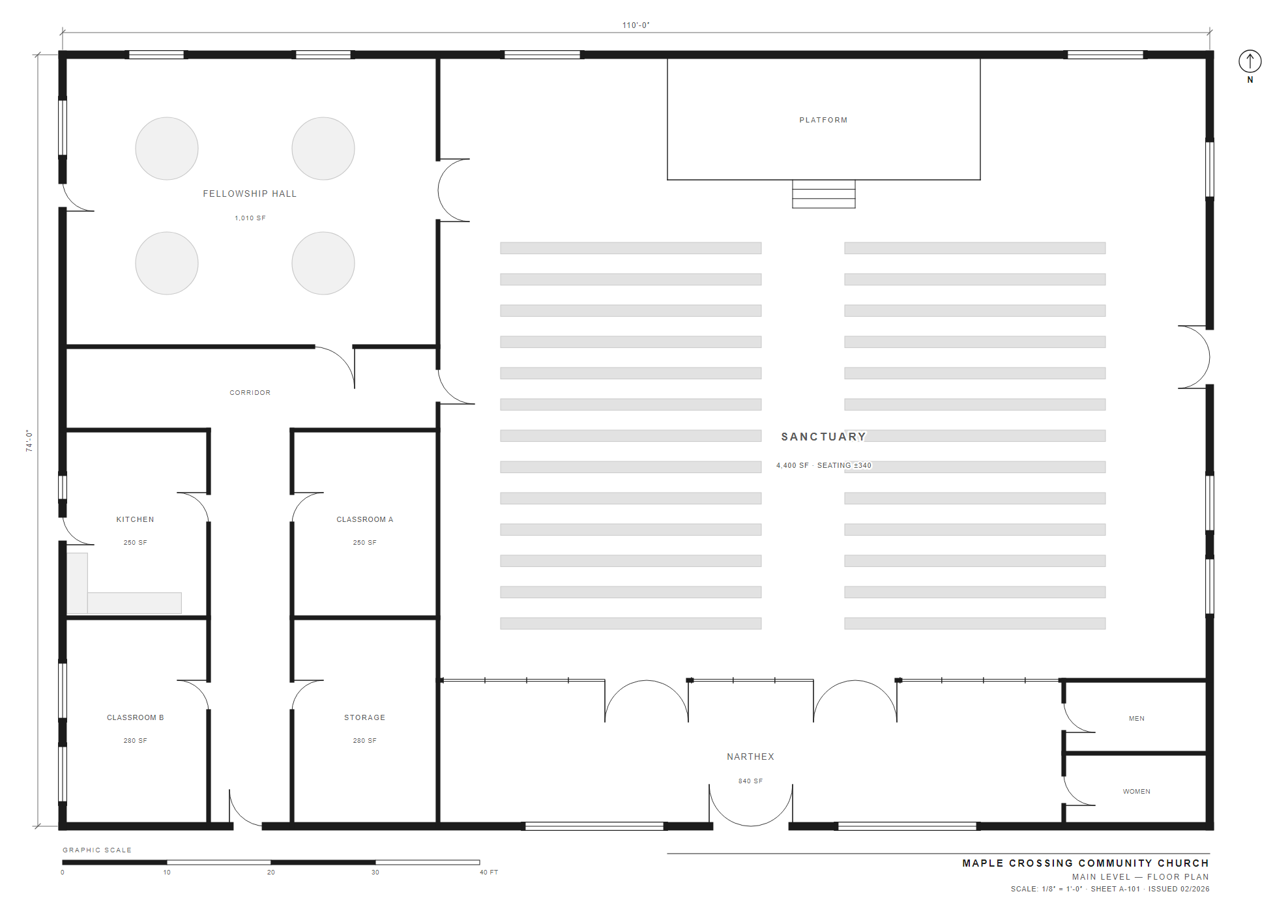
Upload a CAD drawing (DWG or DXF), a PDF, or a plain image; the tool converts it automatically. Trace one distance you already know, like a dimension string or a scale bar, and every measurement calibrates from there.
STEP 2 — TRACE
Tell it what the walls are made of
Drywall, glass, concrete, and brick each block a 2.4 GHz signal differently. Outline the walls, assign materials, and the estimate accounts for every one.
STEP 3 — PLACE
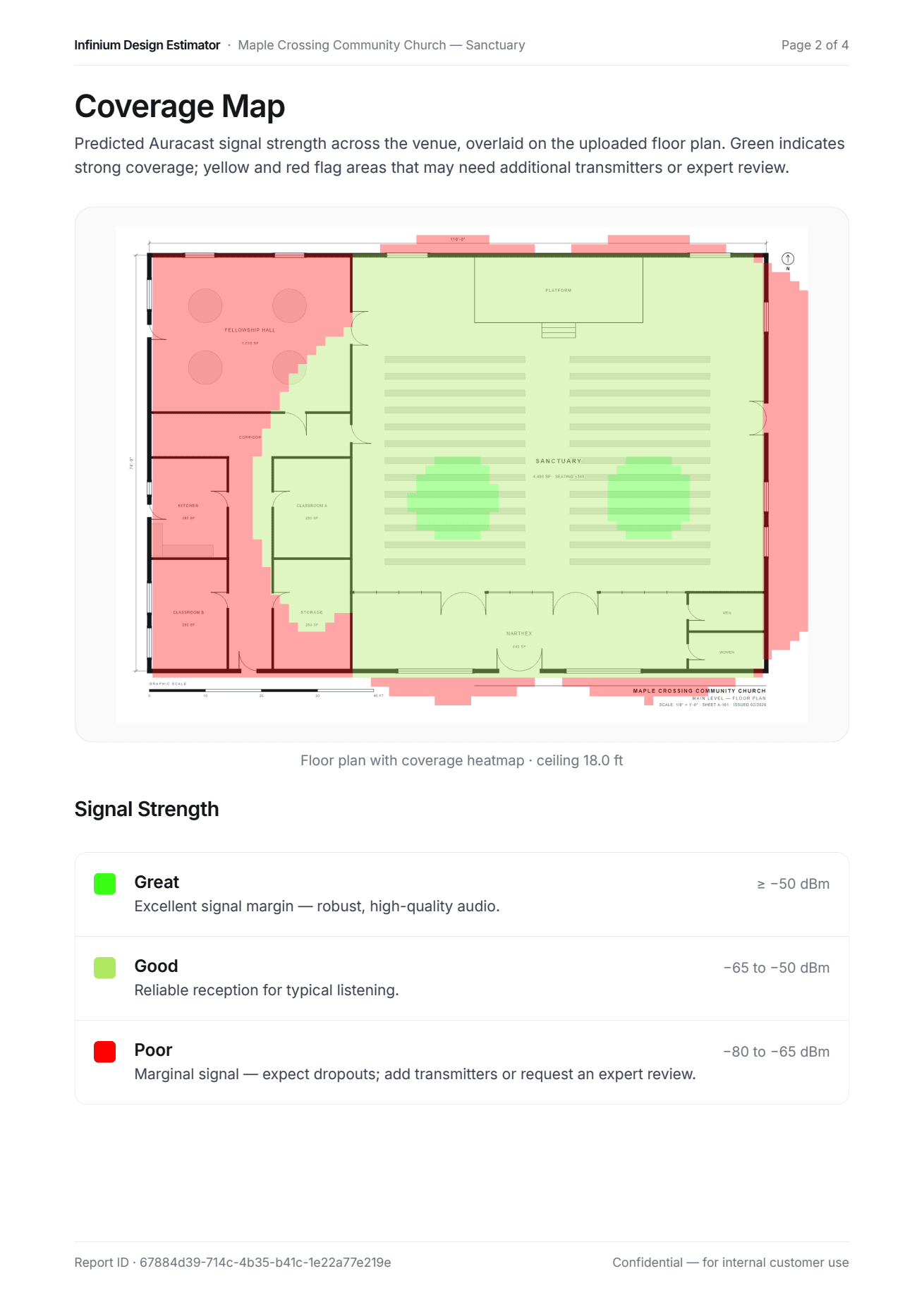
Watch the coverage fill in as you go
Drop transmitters where you'd actually mount them and set the ceiling height. The heatmap updates as you work, per audio channel.
STEP 4 — SHARE
Hand your team a report, not a screenshot
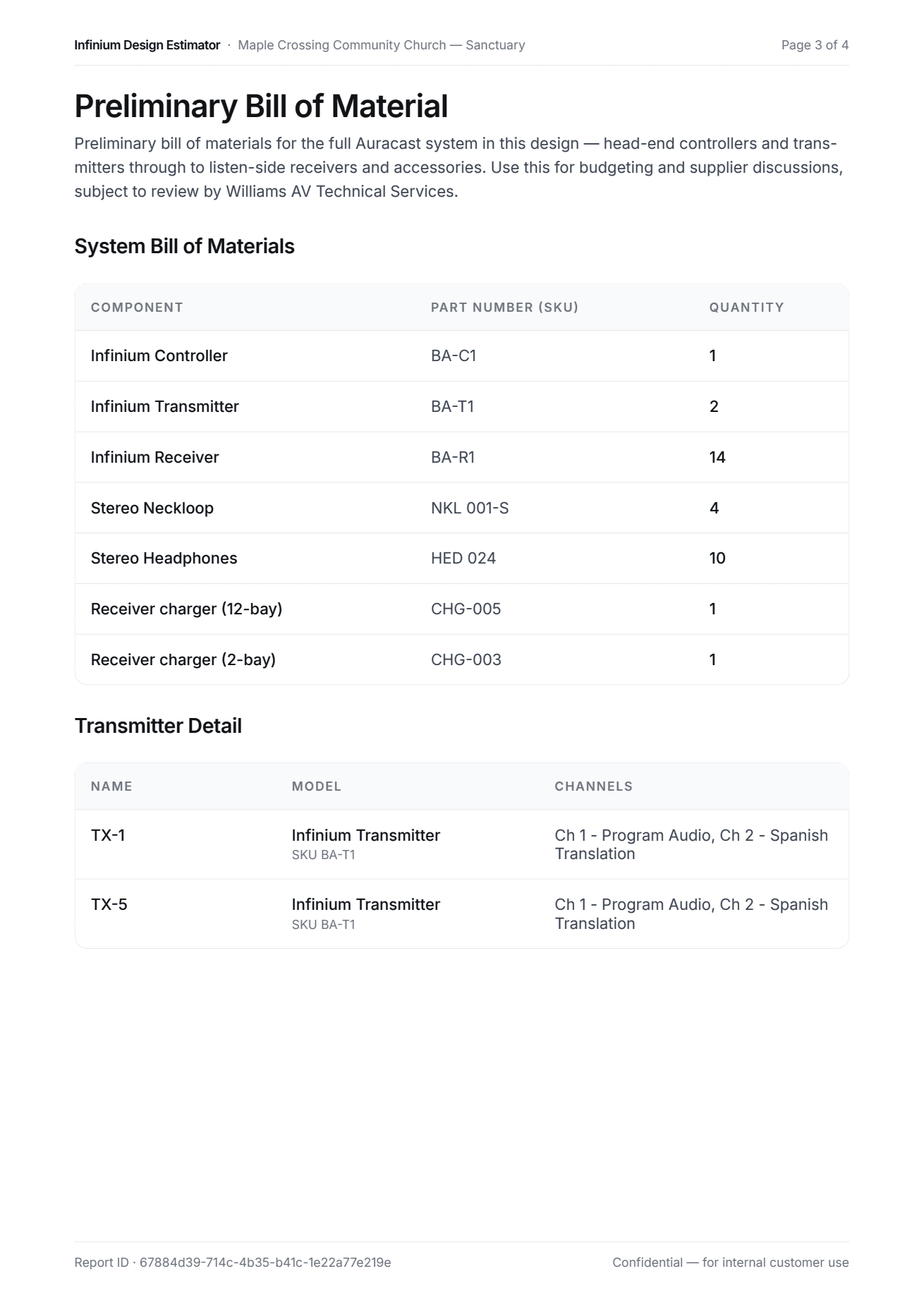
Export your design as a branded PDF: coverage map, preliminary bill of materials, and the assumptions stated plainly. It's ready to send to a stakeholder or an installer.
STEP 5 — OPTIONAL
Send it for an expert review
For many projects the report is enough, and the design is yours. When a venue needs a measured, validated design, our Technical Services team takes over with professional-grade RF tools. The review is complimentary, with a response within 3 business days.
Go to bid with a parts list, not a hunch.
A branded coverage report and a full bill of materials, controller to chargers, in about ten minutes.
FAQ
Common questions
How accurate is the estimate?
It's a planning ballpark, not a validated RF design. The estimate uses a simplified 2.4 GHz propagation model with per-material wall attenuation: good enough to scope a project and build a preliminary bill of materials. Before installation, Williams AV Technical Services can produce a measured, validated design.
Does this cover ADA or IBC requirements?
It sizes the listen side for you. Enter your expected occupancy and pick an accessibility standard, and the estimator recommends how many assistive listening receivers ADA and IBC call for at that capacity — including the share that must be hearing-aid compatible — and adds them to your bill of materials. It stops short of certifying compliance, though: it maps signal coverage and sizes equipment as a planning estimate, so final code sign-off still rests with Williams AV Technical Services or your local authority.
Is it really free?
Yes. No credit card, no purchase required. The estimator helps us start conversations with teams planning Auracast systems; the detailed design review is complimentary too.
What floor plan formats can I upload?
DWG and DXF drawings, PDFs, or plain PNG/JPG images. Drawings and PDFs convert automatically when you upload them.
Does it handle multi-floor buildings?
Not yet; each project covers one floor. For a multi-floor building, create a project per floor and estimate each separately.
Which products does the estimate cover?
The Williams AV Infinium Auracast line: transmitters and controllers on the design side, with receivers, neckloops, headphones, and chargers in the bill of materials. It doesn't model FM, IR, or hearing loop systems.
Does the report include pricing?
No. The bill of materials lists part numbers and quantities, ready to hand to your Williams AV representative or distributor for a quote.
Can I work in feet or meters?
Either. Each project has its own unit setting, so you can work in feet on one venue and meters on the next.
Can I keep editing after I export the report?
Yes. Designs stay editable after you export; change the layout and export a fresh report whenever you need one.
Why do I need a work email?
The estimator is built for AV integrators and facility managers, and we verify work domains at signup to keep the review queue useful for everyone.
What happens when I request an expert review?
Our Technical Services team picks up your design, reviews the venue with professional RF tooling, and responds within 3 business days.